How HOAResidents.com saves volunteer board members time
Date published: July 20, 2026
Updated: July 20, 2026
Author: Kelly Fansler, Founder HOAResidents
How HOAResidents.com saves volunteer board members time: shared inbox workflows instead of board email chains, Agenda Builder with AI meeting minutes, AI document Q&A for policy questions, and announcements without personal BCC lists.

Volunteer HOA board members do not lack commitment — they lack hours. After work and family, evenings disappear into reply-all threads, meeting prep, and “can you dig up…?” requests. Most of that work is not leadership. It is coordination: chasing who replied, rebuilding agendas from scattered emails, and rewriting minutes from scratch.
HOAResidents.com saves volunteer board members time by replacing that chaos with shared workflows: a board inbox that stops email from floating across personal accounts, Agenda Builderfor topics, notes, and resident-ready minutes, AI document Q&A so policy questions do not land in your Gmail, and announcements that replace personal BCC lists.
When email chains bounce across the board, work gets lost
A repair request goes to the president’s Gmail. A vendor question lands on the treasurer’s phone. A complaint reply sits in someone’s Drafts while the rest of the board assumes it was handled. Those chains waste time twice: once while everyone forwards screenshots, and again when the next volunteer has to reconstruct what happened.
Floating email creates three expensive problems: no shared history, no clear ownership, and no handoff when someone rotates off the board. A shared inbox for HOA boards turns those chains into a message workflow — status, assignment, team notes, and a full thread the whole board can see. Optional HOA email forwarding (@hoaresidents.com) routes inbound mail into the same place, so the association owns the conversation — not a personal account.
Time saved: fewer “who was supposed to reply?” nights, less duplicate outreach, and a clean paper trail when something escalates into a violations case without starting over in a new email thread.
Agenda Builder: add topics, capture notes, publish minutes with AI
Meeting prep is another silent time sink. Boards collect agenda items from email, paste them into a Word doc, scramble for notes during the meeting, then spend another evening drafting minutes homeowners can actually read. Agenda Builder collapses that into one flow: board members add topics as they come up, take quick per-item notes, and use AI to turn those notes into resident-ready meeting minutes you review before publishing.
You can pull topics from resident messages and requests instead of copy-pasting bullet points from your inbox. After adjournment, export or save minutes to your document library so the record is searchable — not trapped in someone’s laptop. Time saved: less pre-meeting scramble, faster follow-up, and minutes that do not take a weekend to write.
Let residents answer policy questions without emailing the board
Policy lookups should not consume board evenings. Upload governing documents once with HOA document management, then let residents (and board members) ask AI document Q&A in plain English — with citations back to yourCC&Rs and bylaws. Q&A analytics show which questions keep coming back so you can improve the docs instead of answering the same email forever.
Alongside that, your free HOA website can publish selected documents for download without registration — so new homeowners, buyers, and realtors get bylaws and rules quickly, even before they have a portal account.
Time saved: fewer “can you send the bylaws?” messages, fewer board members acting as a file cabinet, and clearer documentation where search data shows real gaps.
Official notices without personal BCC lists
“Please remind everyone about the pool closure” should not mean building a BCC chain from someone’s contacts. Announcements and automated resident email publish once and notify homeowners from the portal — so outreach is consistent and the board does not babysit delivery from a personal account.
A Saturday plan that buys back weeknights
- Move resident email into a shared inbox so chains stop floating across personal accounts (resident messages).
- Set up Agenda Builder for the next meeting — standing topics, quick notes, and AI minutes when you adjourn (Agenda Builder).
- Upload the docs people ask for most and turn on AI document Q&A so policy questions self-serve.
- Tell the community once via an announcement: requests go to the shared inbox; policy questions go to Q&A; meeting records live in the portal.
What this replaces for volunteer boards
- Reply-all chains bouncing between board members with no shared status
- Building agendas from scattered emails and rewriting minutes from scratch
- Answering the same CC&R questions every week by personal email
- Forwarding the same PDF from a personal Drive for the tenth time
- Losing institutional memory when a volunteer rotates off the board
Saving time is not about doing less for the community. It is about spending volunteer hours on decisions — not inbox archaeology, meeting paperwork, and document courier duty.
Related tools that protect board evenings
A shared board inbox and HOA email forwarding stop floating threads. Agenda Builder turns topics and quick notes into resident-ready minutes. Document Q&A cuts repeat policy email. Announcements keep official notices out of personal BCC lists. Together they form an operations stack built for volunteer boards — not enterprise HOA software with a six-month implementation.
Try HOAResidents.com free
HOAResidents.com is free through January 2027. Move resident email into a shared workflow, plan meetings with Agenda Builder, and let AI help with policy answers and meeting minutes. Try the shared board inbox, explore Agenda Builder, see AI document Q&A, or review pricing and the founding rate lock.
In the product
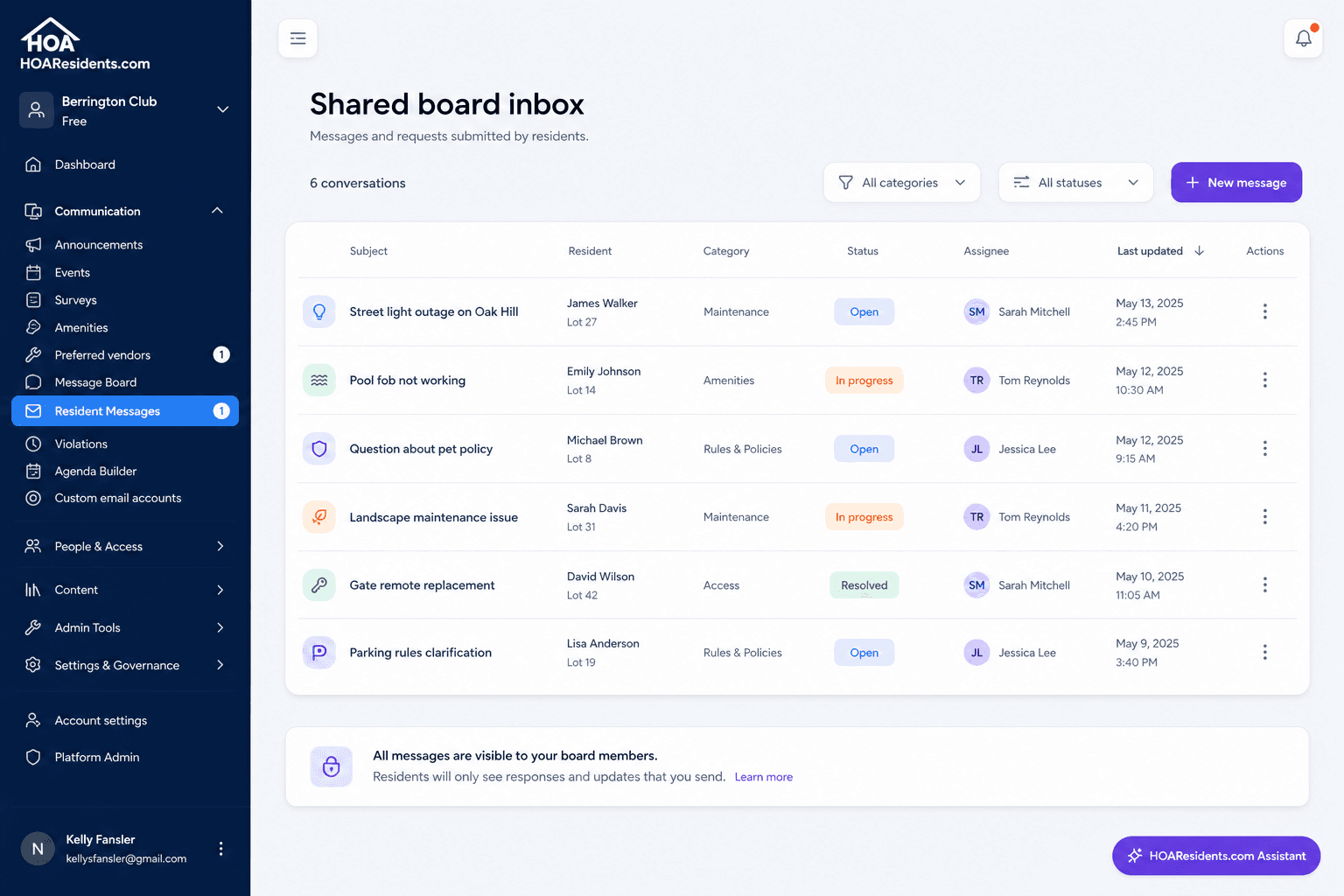
Shared board inbox: one thread per resident request with status and ownership. 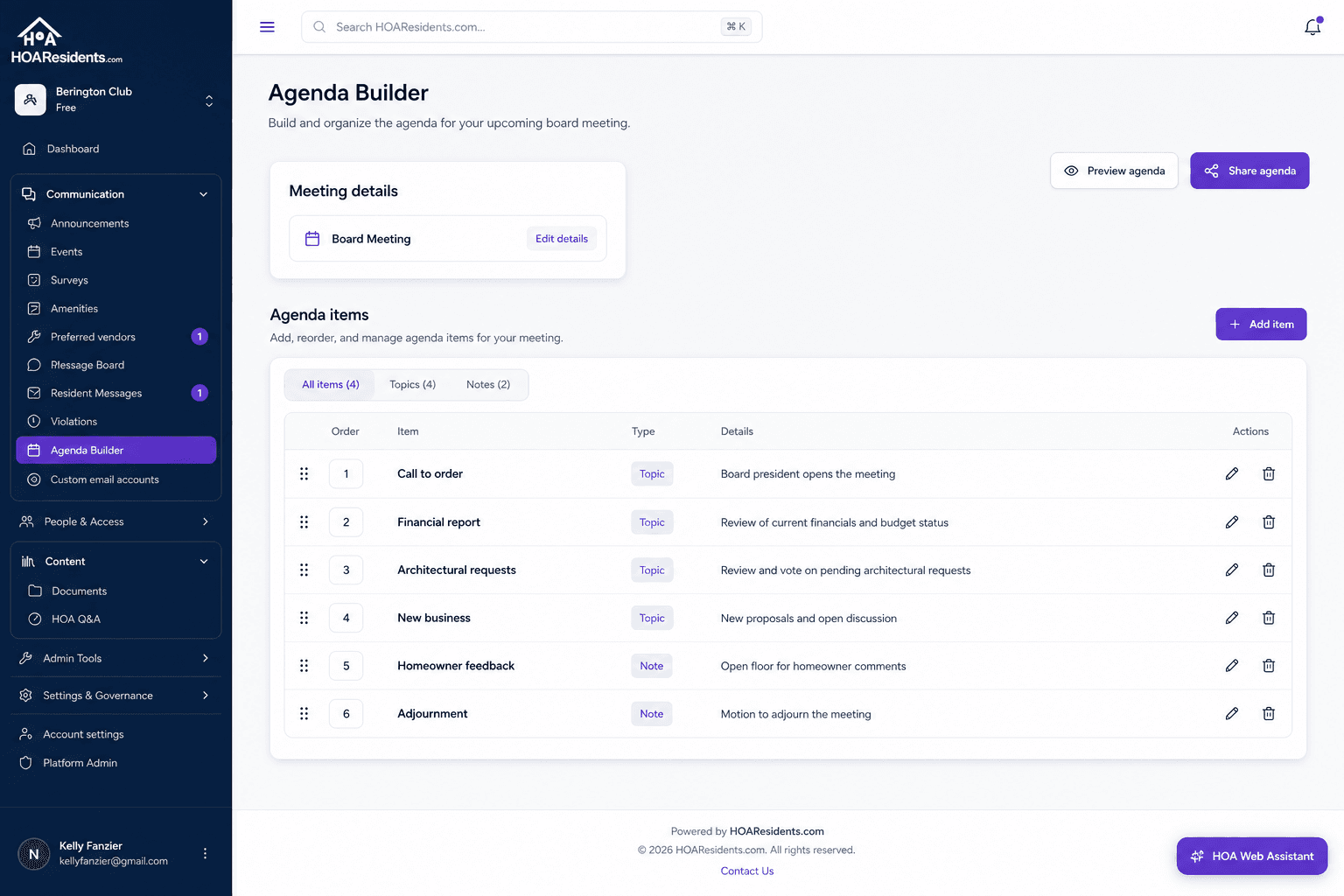
Agenda Builder: add topics, capture quick notes, and draft resident-ready minutes with AI. 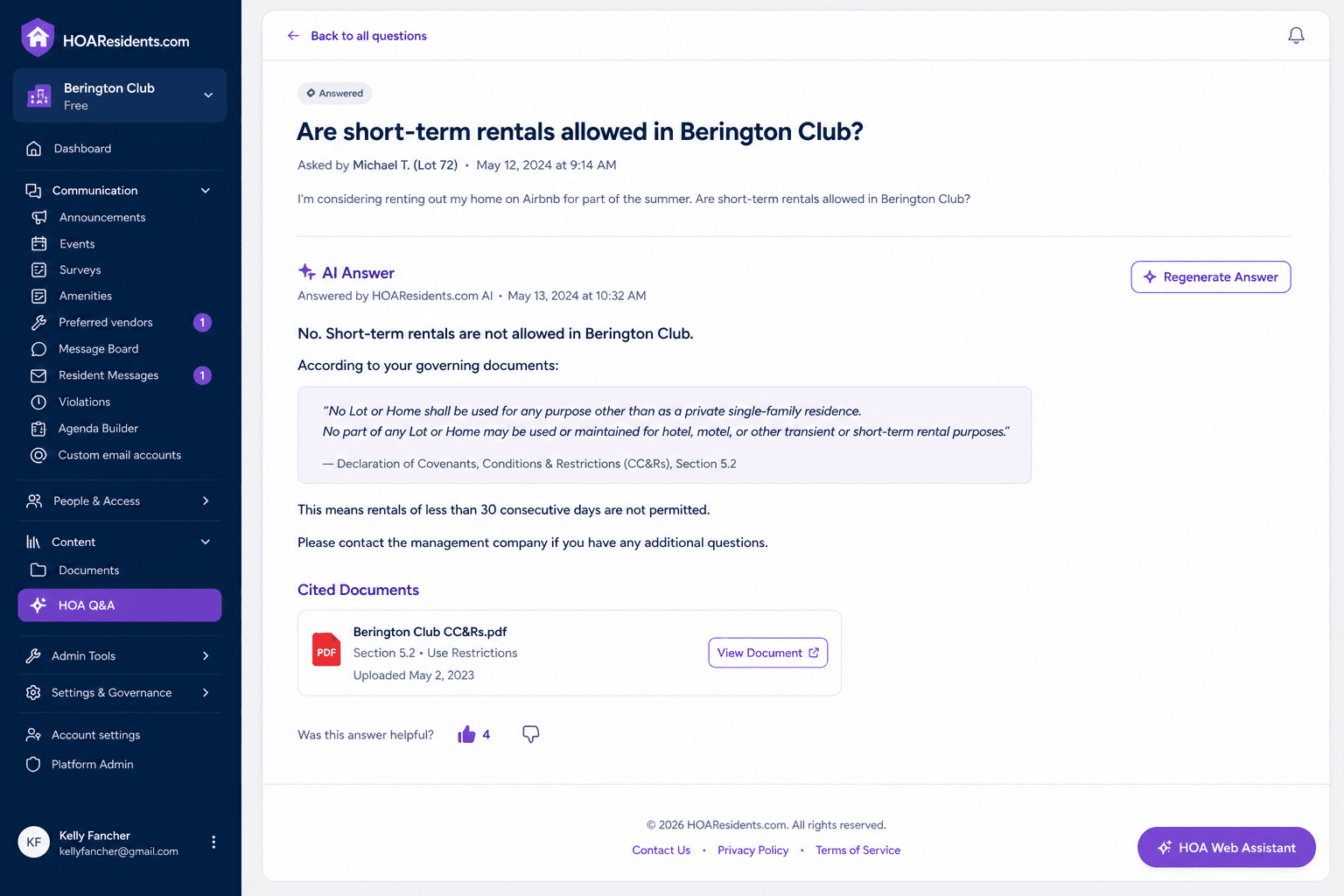
Document Q&A: residents get cited answers from your rules instead of emailing the board.