HOA Emergency BOLO Email & Text Alerts
Date published: August 5, 2026
Author: Kelly Fansler, Founder HOAResidents
HOA emergency BOLO email and text alerts: opt-in Be On the Look Out notices for events like a water-main road closure—while 911 remains the path for true emergencies.
When Oak Street floods from a water main break, neighbors need to know fast — and they need the same facts, not three different versions forwarded through group chats. That is what HOA Emergency BOLO Announcements are for: a Be On the Look Out notice on your HOA portal, with email and text based on each resident’s preferences.
This story walks through how a volunteer board might use BOLO email and SMS for a few real community events — and where BOLO stops, because life-threatening emergencies still belong to 911 and official responders.
Important: HOA Emergency BOLO Announcements are informational community alerts. They are not a substitute for calling 911, law-enforcement alerts, or official emergency notification systems. If someone is hurt, a fire is active, or crime is in progress, call 911 first — then update the community when it is safe and appropriate.
What a BOLO is (and is not)
BOLO means Be On the Look Out. On HOAResidents.com it is a pinned safety-style notice residents can re-read after the first notification is buried. It is not a routine pool hours reminder, a social RSVP, or a substitute for police, fire, or utility emergency lines.
Residents opt in separately for BOLO email and BOLO SMS. Boards choose which channels to use when they publish. Imported phone numbers are never texted without consent.
Example: emergency road closure after a water leak
Imagine Running River HOA learns the city shut Oak Street after a water main break. Residents still need to get kids to school and avoid driving into flooded pavement. The board does not replace 911 or the utility — they publish an HOA Emergency BOLO Announcement:
- Portal notice: “Oak Street closed between Maple and Cedar due to a water main break. Use the south entrance. Updates will be posted here.”
- Email: to residents who opted in for BOLO email, with the full notice and link back to the portal.
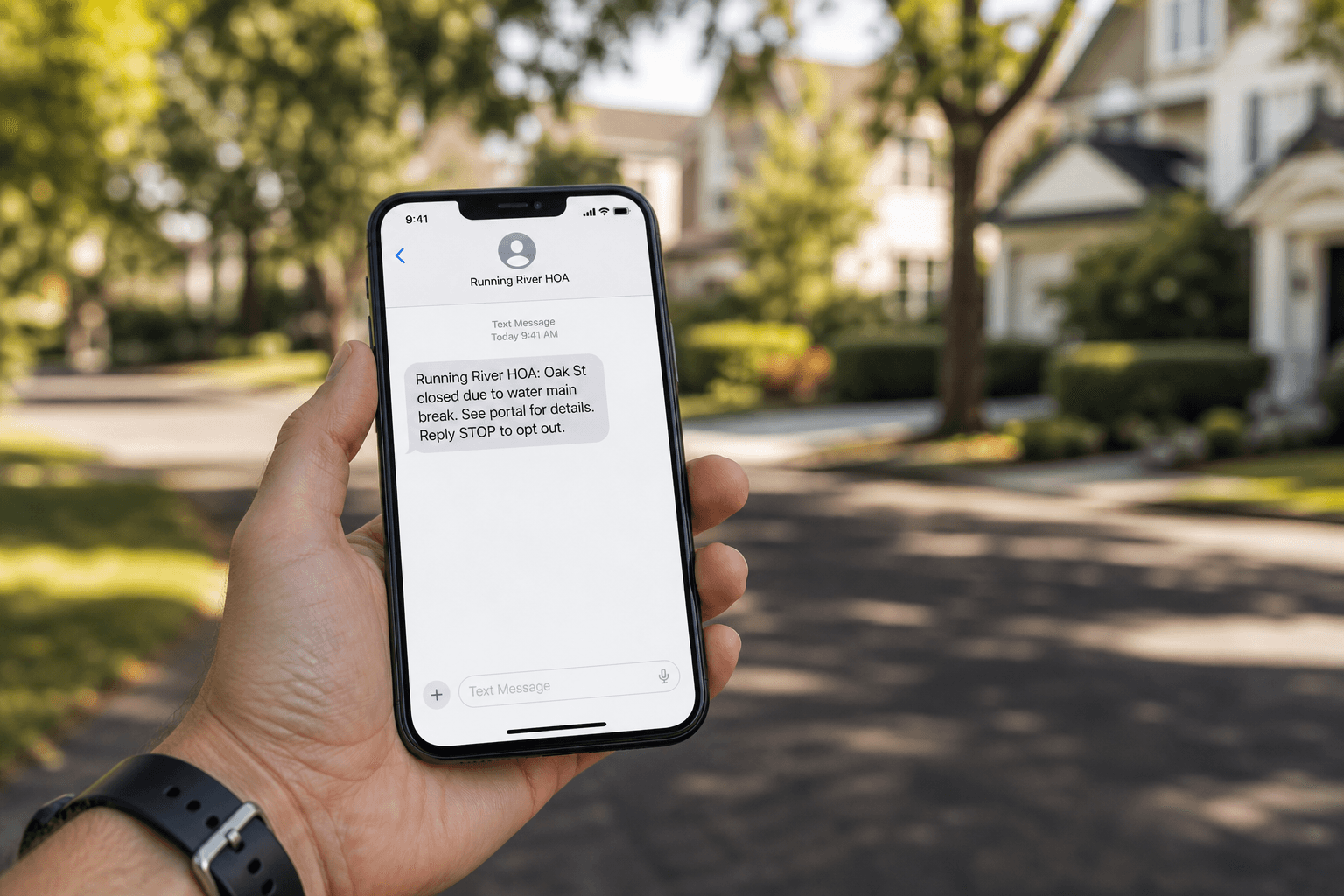
- Text: a short single-segment SMS to BOLO SMS opt-ins — for example, Running River HOA: Oak St closed for water main break. Details in the portal. Reply STOP to opt out.
That combination reaches people who check email later and people who only glance at texts — while keeping one official record everyone can open again when the detour questions start.
Other events that fit BOLO email and text
- Gate or access outage overnight — residents arriving late need a heads-up before they sit at a broken entry. Call the gate vendor or locksmith as needed; use BOLO so the whole community hears the same workaround.
- Suspicious vehicle lookout (facts only) — share a short description and ask residents to call local non-emergency or 911 if they see an active crime — not to confront anyone. BOLO email/SMS carries the lookout; the portal keeps the official wording.
- Lost pet or missing person lookout — time-sensitive, community-wide, easy to bury in Facebook. A BOLO keeps the description and contact path official while SMS reaches opted-in phones quickly.
- Planned but urgent utility shutoff — if crews move the window up and residents need same-day notice, BOLO beats rebuilding a BCC list at 5 a.m.
When not to use a BOLO
Do not use HOA Emergency BOLO Announcements for landscaping schedules, amenity hours, or meeting reminders — those belong in routine Announcements. Overusing BOLO language trains residents to ignore the next real lookout.
And again: active medical emergencies, fires, and crimes in progress are 911 first. A BOLO can follow with community logistics (detours, shelter-in-place reminders from authorities, where to find updates) — it does not replace emergency services.
A simple board checklist
- Confirm the facts with the utility, city, or responding agency when relevant.
- Call 911 / non-emergency / utility emergency lines when the situation requires it.
- Draft the Be On Look Out Notice in HOA Emergency BOLO Announcements.
- Enable email and/or SMS for opted-in residents; keep the SMS short with STOP wording.
- Pin the notice so late readers see it on the portal.
- Update or unpin when the street reopens or the lookout ends.
Learn more
For setup steps and templates, read the HOA BOLO Notification System: Setup + Templates. For the product itself, see HOA Emergency BOLO Announcements. For everyday notices that should not be BOLOs, see how to automate resident announcement emails.
HOAResidents.com is free through January 2027. Sign up, set resident BOLO preferences, and practice a low-stakes test before the next real road closure. Explore HOA Emergency BOLO Announcements or review pricing.
In the product
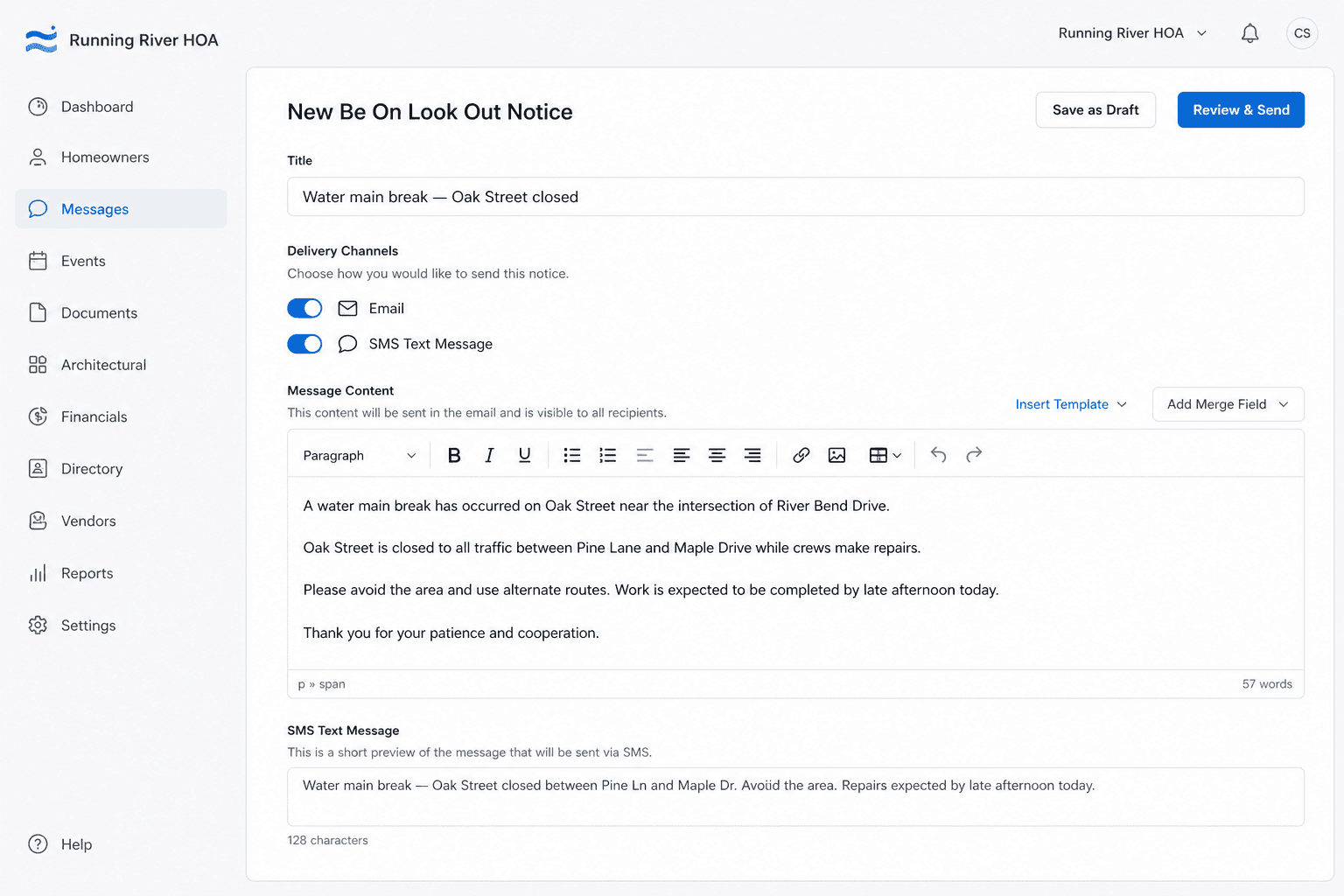
Compose once: enter the Be On Look Out notice and choose email and/or SMS for opted-in residents. 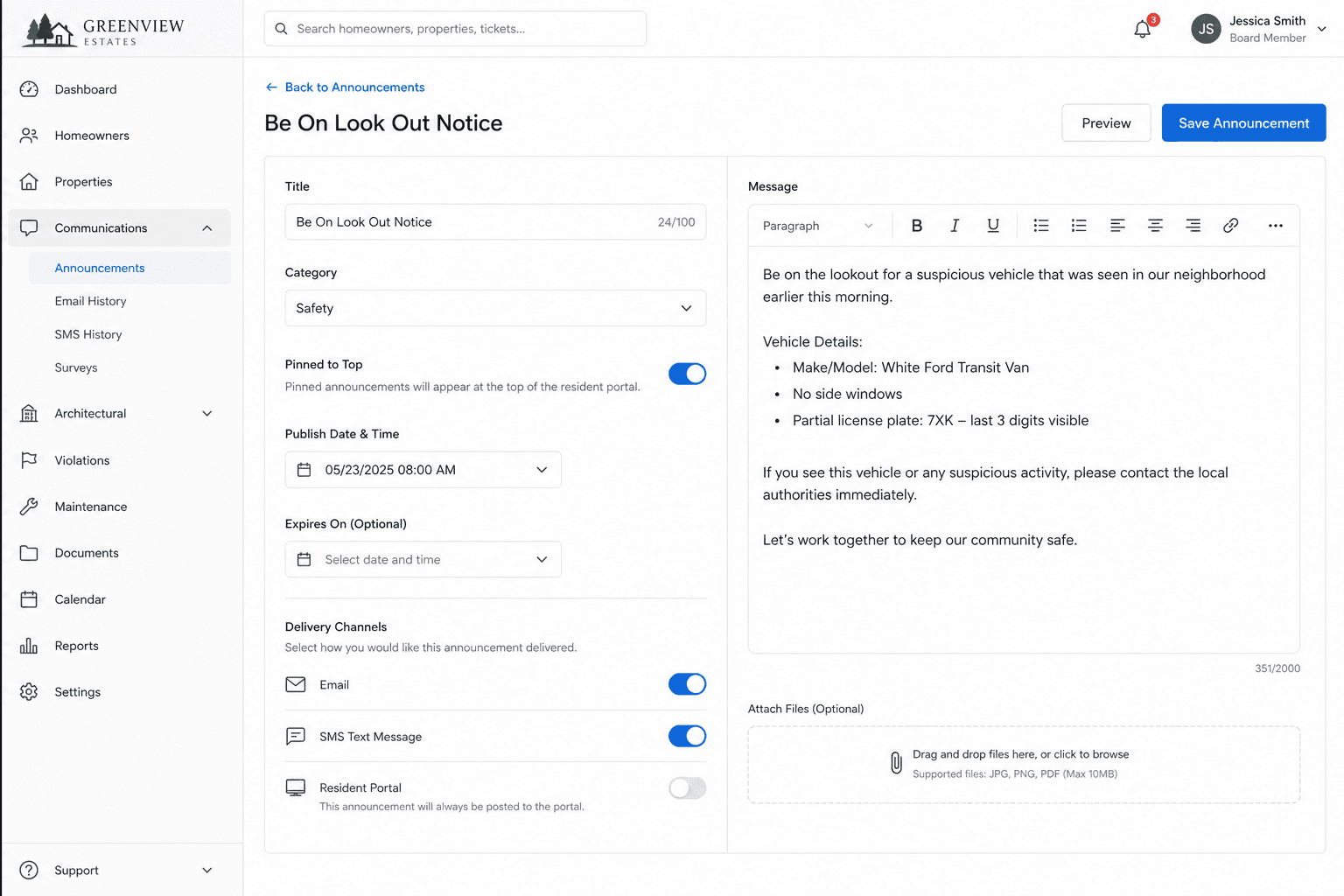
Keep urgent lookouts separate from routine announcements with dedicated BOLO channels. 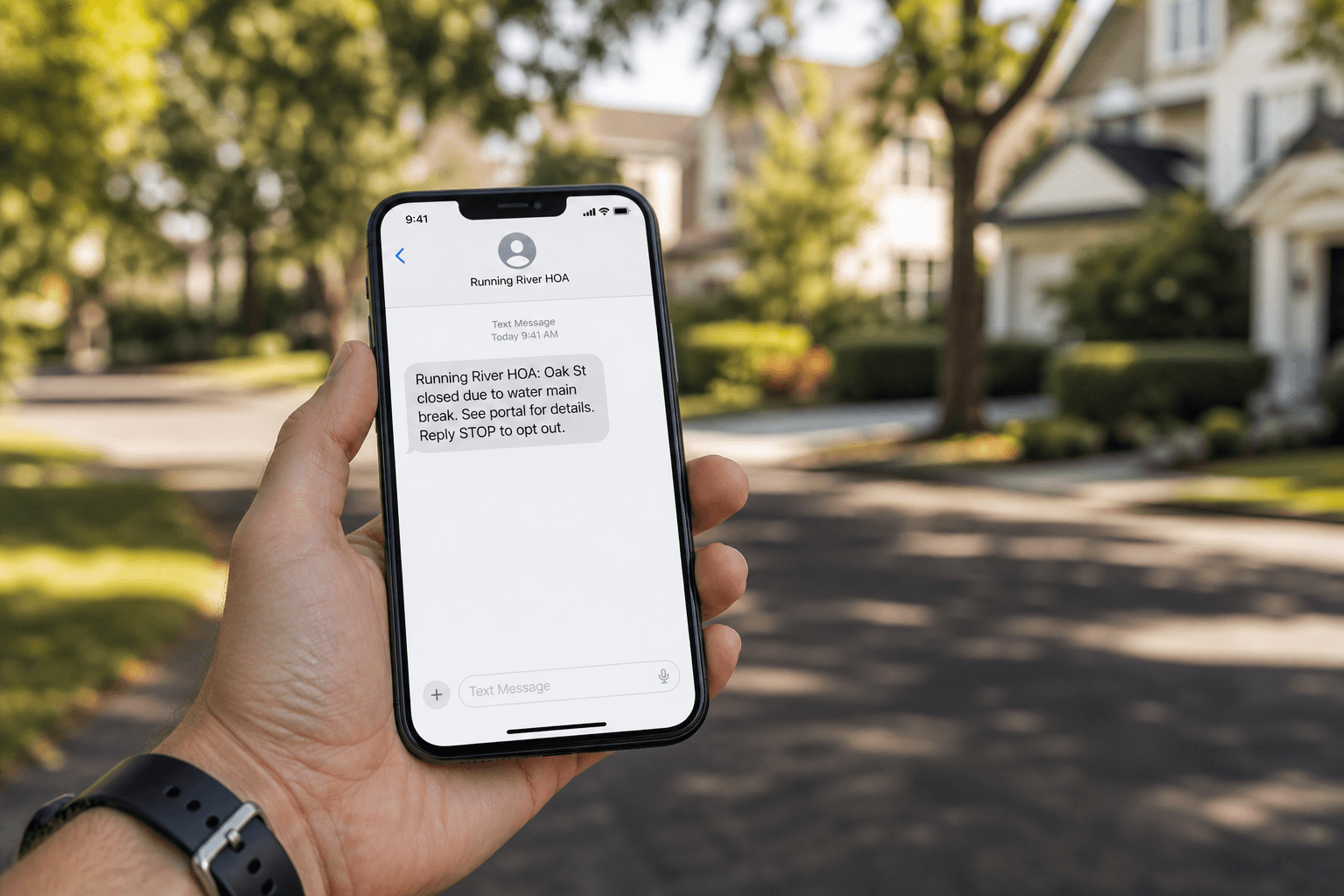
Opted-in residents can get a short BOLO text—like this Running River HOA road closure alert.