How to set up an HOA website and resident portal in about 30 minutes
Date published: July 12, 2026
Author: Kelly Fansler, Founder HOAResidents
Learn how to set up an HOA website and resident portal fast—public page, optional public documents without registration, property import, resident invites, and email. Free through January 1, 2027; founding HOAs lock in Pro at Core pricing.
I’ve talked to a lot of board members who are tired of the same loop: the HOA website that never quite launches, the PDFs living in someone’s inbox, the shared drive nobody wants to dig through on their phone.
HOAs need an online home. That part isn’t complicated. What’s frustrating is how long setting up an HOA website usually takes — and how many tools you end up juggling to get there.
That’s why I built HOAResidents.com a little differently. You get a public HOA website for your community and a resident portal where the board can actually run things: import properties, invite residents, send email, keep documents where people can find them. Not a brochure on one site and “real work” somewhere else.
Also worth saying up front: everything is free through January 1, 2027. No soft paywall while you’re just trying to get set up. Use the product. Invite your neighbors. See if it fits. And if you sign up now, you lock in Pro features at Core pricing when paid plans begin — as low as $20/month per 100 homes.
If you already have a property list spreadsheet
This is the easy path. If you’ve got addresses — and even a partial email list — you’re further along than you think.
Most boards in that spot can go from signup to a live public HOA page and first resident invites in about 15–30 minutes. I’m not kidding. You don’t need every lot perfect and every resident email on day one. Start with what you have.
What an HOA website looks like on HOAResidents.com
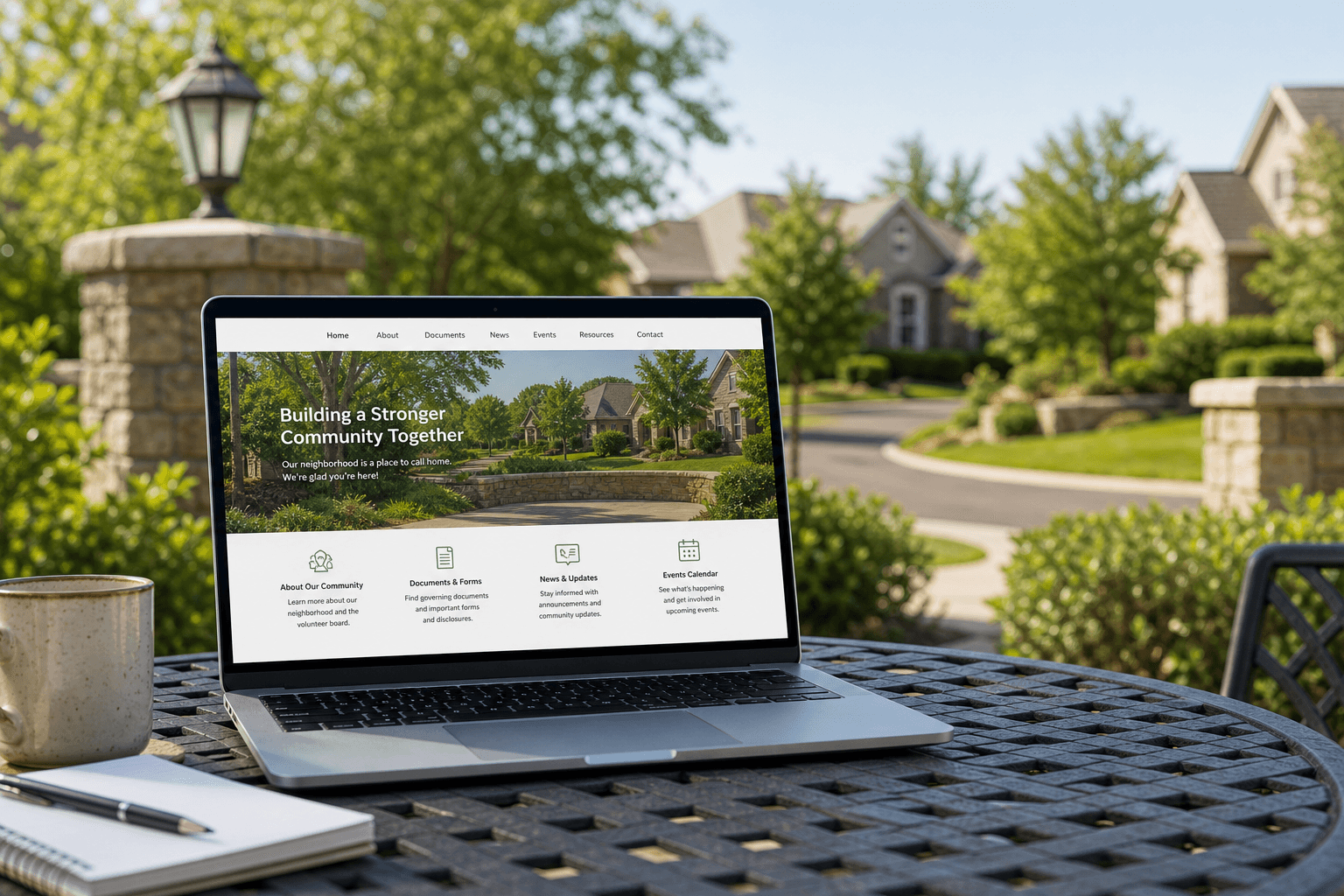
Your public HOA page is the front door. Name, a short description, a photo or two — the stuff someone looking up your community expects to see. In the app you can add a hero image, a small gallery, and choose whether you show up in public HOA search on HOAResidents.com. No designer required. No “learn WordPress this weekend” required.
Board members can also mark selected files as Public in document management. Those documents appear on your free HOA home page under Documents so homeowners, buyers, and realtors can download them without registering. Keep everything else Residents-only or Board-only — you stay in control.
Neighbors and new owners notice that page first. What your board notices next is quieter: the property list is in, invites went out, and the welcome note didn’t have to come from someone’s personal Gmail.
How to set up your HOA website and resident portal (Saturday-morning version)
I’m not going to turn this into a training manual. Here’s the shape of it, though.
- Sign up and create your HOA. Create an Account, name your HOA, get in, and you’re guided through setup. You’re not staring at a blank theme wondering where the menu went.
- Make the HOA website look like your place. Write a few sentences. Drop in a photo. Turn the public page on when it feels good enough. Perfect can wait. Findable can’t.
- Publish a couple of public documents (optional, but powerful).Upload CC&Rs or community rules, set visibility to Public, and they show up on your free HOA home page for no-registration downloads. Document management handles the rest as Residents or Board-only.
- Import the property addresses you already have. Upload a CSV. Skip retyping every street. Suddenly you have a real property list instead of “we should build a directory someday.”
- Invite residents you can reach today. Match emails to homes and send invites. Residents join their address through a clear flow; you still control access. Missing emails? Just add the addresses and let residents know the site is online. They can still register themselves quickly and easily through resident onboarding — and you still control who joins.
- Send your first board email or announcement. Post a short welcome or board note. Email is built into the HOA software, so you’re not signing up for a separate newsletter tool before your first message goes out.
That’s enough to be “online.” Documents, events, surveys, amenities — you can add those after the front door is open. And through January 1, 2027, you can poke around all of it without worrying about a bill — with the founding rate lock still waiting for you afterward.
Auto onboarding: import properties and invite residents
A lot of HOA software assumes you’ll type the whole neighborhood in by hand. We assume you already have a list.
Import builds the map of homes. Invites handle the introductions. Residents claim their property themselves — you approve access, you don’t create every login.
Same idea with email. Invites and board updates go out through the product, so launch day is about your community, not chasing another vendor.
Why set up your HOA website and resident portal now
Through January 1, 2027, the whole product is free — HOA website, resident portal, email, documents, the works. Sign up now and you also lock in Pro features at Core pricing when paid plans begin — as low as $20/month per 100 homes. Set it up. Try it with real people. Decide later whether it sticks. That’s a lot simpler than buying something before you’ve lived with it — and smarter than waiting until the founding rate lock is gone.
What “done for today” looks like
- A public HOA website page that looks like your community
- Optional public documents anyone can download without registering
- Properties loaded from the list you already keep
- Resident invites headed to the emails you’ve got
- At least one note ready for residents
Polish the photos later. Upload the covenants later. For half an hour of focused work, you can stop being the board that “still doesn’t have a website.”
Grab the spreadsheet, pull the emails you have, and give it a quiet half hour. Get started on HOAResidents.com — everything’s free through January 1, 2027, and founding communities lock in Pro at Core pricing afterward (as low as $20/month per 100 homes).
In the product
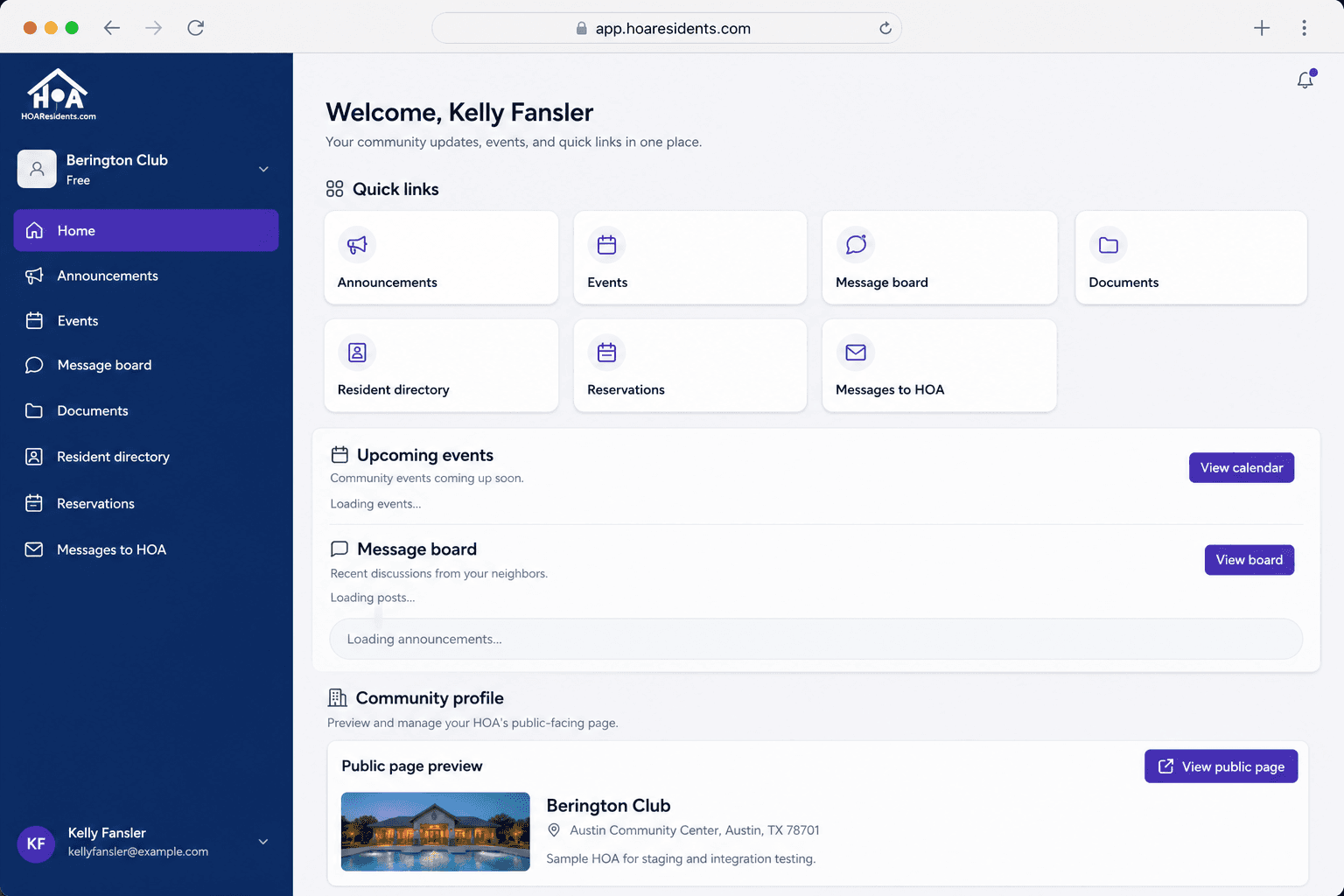
Resident home: quick links, community updates, and a public page preview in one place. 
Property import: upload a CSV of homes and optional residents to get the portal populated fast. 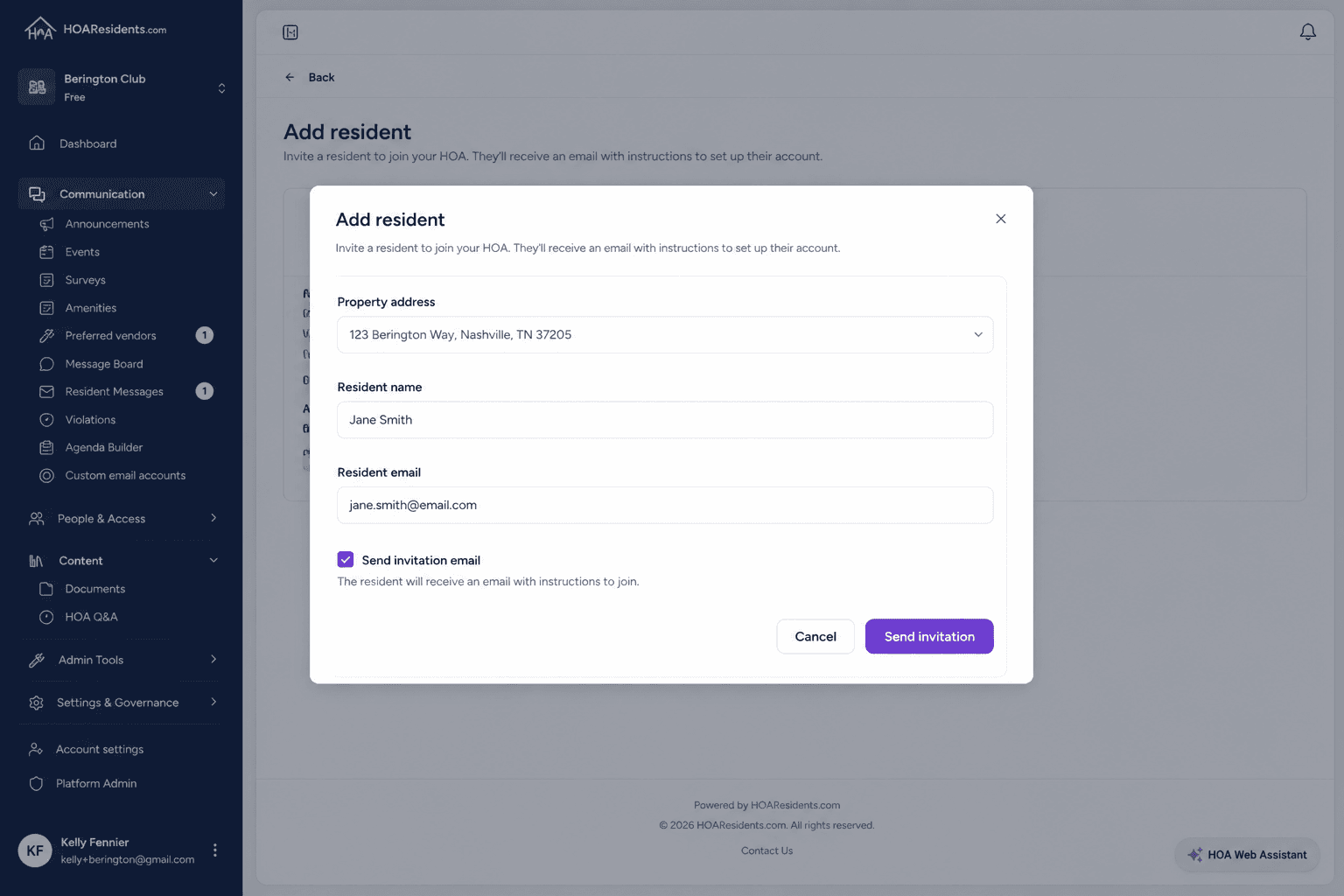
Resident invites: add homeowners and send invitation emails without rebuilding accounts by hand.